Broadcasting on a Budget: The Everyday Gear Behind Princeton TV's Professional Look
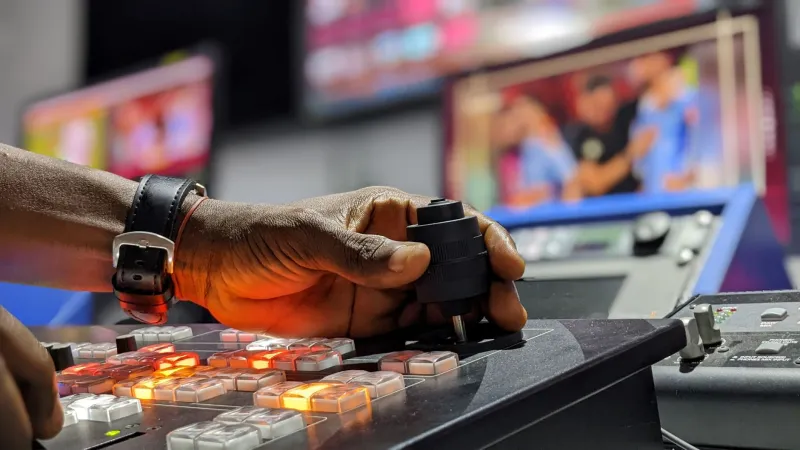
Walk into the production booth at Princeton TV on a typical Tuesday evening and you might be surprised by what you don't see. There is no six-figure switcher humming in a climate-controlled rack. No ENG van parked out front. Instead, you'll find a handful of volunteers — a retired teacher, a high school junior, a software engineer between jobs — assembling tonight's community bulletin with equipment that, all told, cost less than a used sedan.
It is a setup that would have been unthinkable twenty years ago, and it is quietly rewriting the rules of who gets to broadcast.
The New Math of Local Television
The democratization of video production is one of the least-covered stories in American media. Consumer hardware now rivals gear that networks locked away in expensive cases a generation ago, and the software ecosystem has matured to the point where a laptop can do the work of an entire control room.
Princeton TV's volunteers have leaned into that shift with methodical enthusiasm. Their guiding philosophy, as longtime volunteer producer Marlene Okafor puts it, is simple: "Spend where the viewer notices. Save everywhere else."
That philosophy shows up in every line of the station's equipment inventory.
The Working Gear List
Based on interviews with station volunteers and a review of their current setup, here is what a functional community newsroom actually costs in 2025:
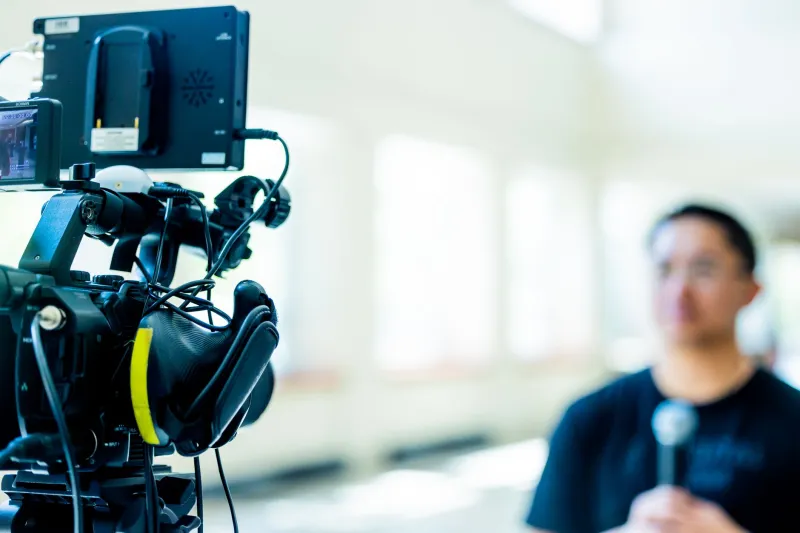
Cameras — $400 to $900 each. Princeton TV runs a mix of used mirrorless bodies and consumer camcorders. A secondhand Sony or Canon mirrorless purchased on the resale market delivers image quality that would have required a $10,000 broadcast camera a decade ago. Volunteers recommend buying refurbished from reputable dealers and budgeting for a spare battery before anything else.
Audio — $150 to $300. This is where Okafor insists beginners overspend on video and underspend on sound. "Viewers will forgive soft focus," she says. "They will not forgive unintelligible audio." The station's workhorses are wired lavalier kits under $50 and a pair of dynamic handheld microphones in the $100 range, running into a compact USB audio interface.
Lighting — under $200. Two softbox kits and a collapsible reflector cover nearly every interview scenario the station encounters. Natural light through the studio's south-facing windows handles the rest.
Switching and streaming — $0 to $600. Open-source software like OBS Studio, which costs nothing, handles the station's live switching and streaming. A used laptop dedicated to the task cost the station $350. A modest hardware capture card rounds out the chain.
Editing — $0. DaVinci Resolve's free tier handles the station's entire post-production workflow. Volunteers point out that the paid version exists, but that most community producers will never exhaust the free features.
Total investment for a complete, broadcast-capable setup: roughly $1,500 to $2,200. The station calls it "the $200 newsroom" when spread across the number of programs each kit supports per year — a per-episode cost that would make any commercial operation envious.
The DIY Studio
Perhaps more instructive than the gear list is the station's approach to space. Princeton TV's studio is a converted meeting room, and its acoustic treatment consists of moving blankets on PVC frames — a trick borrowed from podcasters that cost under $80 and noticeably tightened the sound of on-camera interviews.
Backdrops are rotated seasonally and built from foam board. Teleprompters run on tablets and free software. Even the studio's signature three-point lighting look was achieved by a volunteer who learned the technique from a library video and a hardware store run.
"Nothing here is precious," says station coordinator Dennis Lau. "That's the point. If a piece of gear breaks, a volunteer can replace it without a fundraising campaign. Resilience is a feature of cheap equipment, not a bug."
Advice From the Booth
For aspiring community producers elsewhere in the country, Princeton TV's volunteers offered a consistent set of recommendations:
- Buy audio first, cameras second. Clear sound signals credibility more than sharp video does.
- Master free software before paying for anything. OBS and DaVinci Resolve cover 90 percent of community production needs.
- Buy used, buy refurbished, buy local. The resale market for two-to-three-year-old camera bodies is deep and reliable.
- Document your setup. The station maintains a written runbook so any volunteer can step into any role — a practice that costs nothing and saves everything.
- Start with one repeatable program. A weekly ten-minute bulletin builds skills, audience, and volunteer confidence faster than an ambitious one-off special.
A Model Worth Copying
What Princeton TV demonstrates is not merely frugality — it is a proof of concept. Community broadcasting in the United States has often been framed as a luxury, dependent on grants and goodwill. The station's shoestring infrastructure suggests otherwise: with roughly the cost of a mid-range smartphone, a group of committed neighbors can put a credible, consistent local voice on the air.
The barrier to entry, it turns out, was never really the equipment. It was the assumption that you needed permission, or a fortune, to tell your community's stories. Princeton's volunteers stopped waiting for both.
For towns across America wondering whether local television is still possible, the answer is sitting in a converted meeting room in New Jersey, running on free software and a budget that fits in a shoebox.